deepspeed
deepspeed
powered by:Zero Redundancy Optimizer (ZeRO) 零冗余优化器
一个用于训练和将超大模型拟合到 GPU 上的优化库。它分为多个 ZeRO 阶段,每个阶段通过对优化器状态、梯度、参数进行分区以及启用到 CPU 或 NVMe 的卸载来逐步节省更多 GPU 内存。
可用于多卡训练以及多卡推理
为什么单卡的情况,也可以使用deepspeed?
- 使用ZeRO-offload,将部分数据offload到CPU,降低对显存的需求
- 提供了对显存的管理,减少显存中的碎片
1.配置
使用案例
设备信息:autoDL租用的两张4090显卡
选用基础镜像 pytorch,安装相关依赖
! pip install torch transformers accelerate bitsandbytes peft datasets trl
! pip install deepspeed
使用accelerate创建deepspeed配置文件
accelerate config --config_file deepspeed_config.yaml若不指定文件位置,文件会自动保存到默认路径中。1
2
3
4
5
6
7
8
9
10
11
12
13
14
15
16
17
18
19
20
21
22
23
24
25
26
27
28
29
30
31
32# 一般的配置信息就根据项目设备实际信息填写就行
# 这里只记录几条重要的参数设置
`zero_stage`:
[0] Disabled,
[1] optimizer state partitioning,
[2] optimizer+gradient state partitioning
[3] optimizer+gradient+parameter partitioning
`gradient_accumulation_steps`: 在平均和应用梯度之前累积梯度的训练步骤数。
`gradient_clipping`: 启用带有值的渐变裁剪。不要设置此项,因为您将通过 cmd 参数传递它。
`offload_optimizer_device`:
[none] Disable optimizer offloading,
[cpu] offload optimizer to CPU,
[nvme] offload optimizer to NVMe SSD.
Only applicable with ZeRO >= Stage-2. Set this as `none` as don't want to enable offloading.
`offload_param_device`:
[none] Disable parameter offloading,
[cpu] offload parameters to CPU,
[nvme] offload parameters to NVMe SSD.
Only applicable with ZeRO Stage-3. Set this as `none` as don't want to enable offloading.
`zero3_init_flag`: Decides whether to enable `deepspeed.zero.Init` for constructing massive models. Only applicable with ZeRO Stage-3. Set this to `True`.
`zero3_save_16bit_model`:
Decides whether to save 16-bit model weights when using ZeRO Stage-3. Set this to `True`.
`mixed_precision`:
`no` for FP32 training,
`fp16` for FP16 mixed-precision training
`bf16` for BF16 mixed-precision training. Set this to `True`.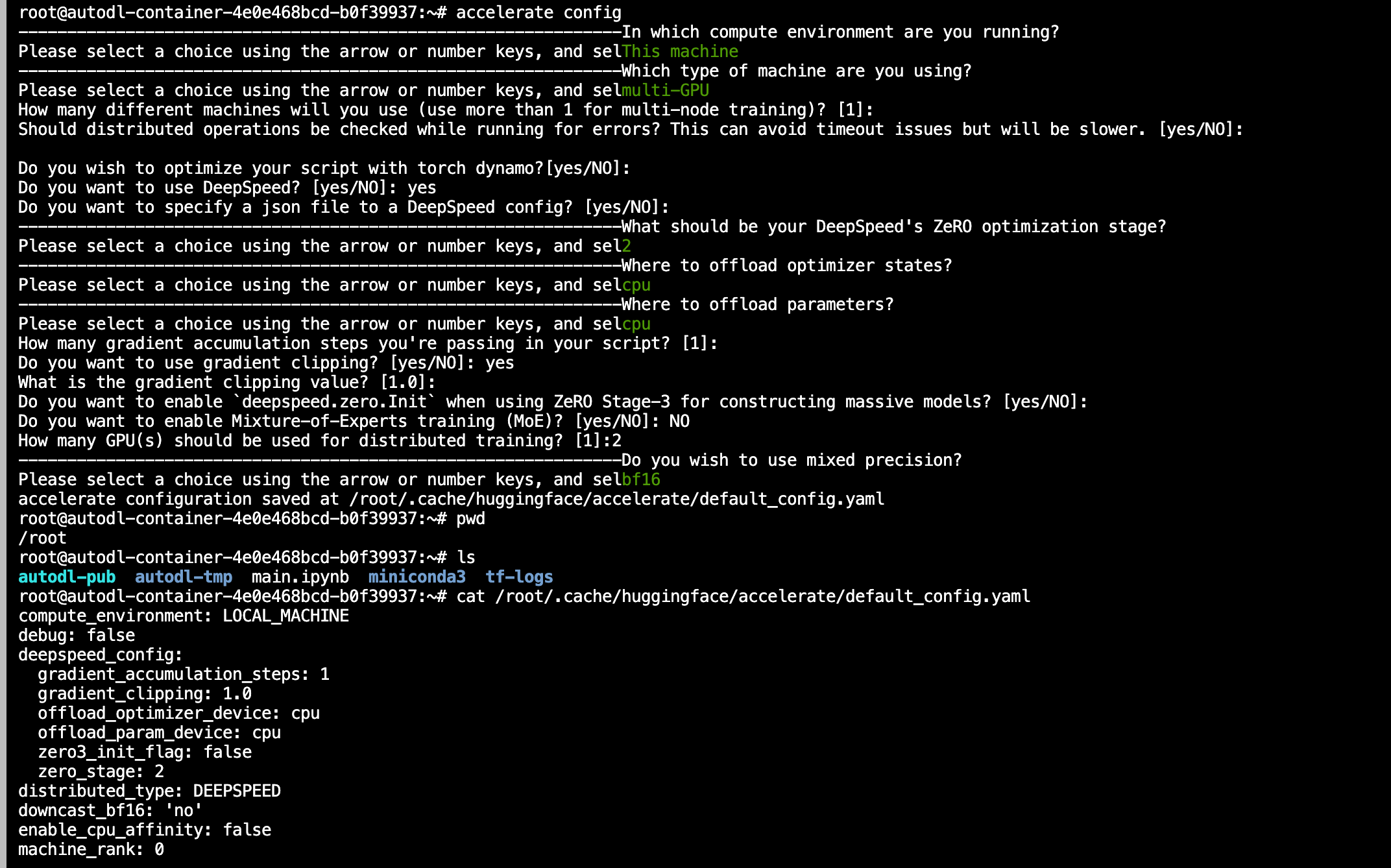
启动命令 start.sh文件
1
2
3
4
5
6
7
8
9
10
11
12
13
14
15
16
17
18
19
20
21
22
23
24
25
26
27
28
29
30
31
32
33
34
35
36
37
38
39accelerate launch --config_file "configs/deepspeed_config.yaml" train.py \
--seed 100 \
--model_name_or_path "meta-llama/Llama-2-70b-hf" \
--dataset_name "smangrul/ultrachat-10k-chatml" \
--chat_template_format "chatml" \
--add_special_tokens False \
--append_concat_token False \
--splits "train,test" \
--max_seq_len 2048 \
--num_train_epochs 1 \
--logging_steps 5 \
--log_level "info" \
--logging_strategy "steps" \
--eval_strategy "epoch" \
--save_strategy "epoch" \
--push_to_hub \
--hub_private_repo True \
--hub_strategy "every_save" \
--bf16 True \
--packing True \
--learning_rate 1e-4 \
--lr_scheduler_type "cosine" \
--weight_decay 1e-4 \
--warmup_ratio 0.0 \
--max_grad_norm 1.0 \
--output_dir "llama-sft-lora-deepspeed" \
--per_device_train_batch_size 8 \
--per_device_eval_batch_size 8 \
--gradient_accumulation_steps 4 \
--gradient_checkpointing True \
--use_reentrant False \
--dataset_text_field "content" \
--use_flash_attn True \
--use_peft_lora True \
--lora_r 8 \
--lora_alpha 16 \
--lora_dropout 0.1 \
--lora_target_modules "all-linear" \
--use_4bit_quantization False由于已传递DeepSpeed配置,脚本使用DeepSpeed进行分布式训练。该类SFTTrainer使用传递的peft配置处理创建PEFT模型的所有繁琐工作。
1
2
3
4
5
6
7
8
9
10
11
12
13
14
15
16
17
18
19
20
21
22
23
24
25
26
# trainer
trainer = SFTTrainer(
model=model,
tokenizer=tokenizer,
args=training_args,
train_dataset=train_dataset,
eval_dataset=eval_dataset,
peft_config=peft_config,
packing=data_args.packing,
dataset_kwargs={
"append_concat_token": data_args.append_concat_token,
"add_special_tokens": data_args.add_special_tokens,
},
dataset_text_field=data_args.dataset_text_field,
max_seq_length=data_args.max_seq_length,
)
trainer.accelerator.print(f"{trainer.model}")
# train
checkpoint = None
if training_args.resume_from_checkpoint is not None:
checkpoint = training_args.resume_from_checkpoint
trainer.train(resume_from_checkpoint=checkpoint)
# saving final model
trainer.save_model()
4.修改数据集格式
1 | `# utils 添加qwen的数据集格式 |
! Nvitop
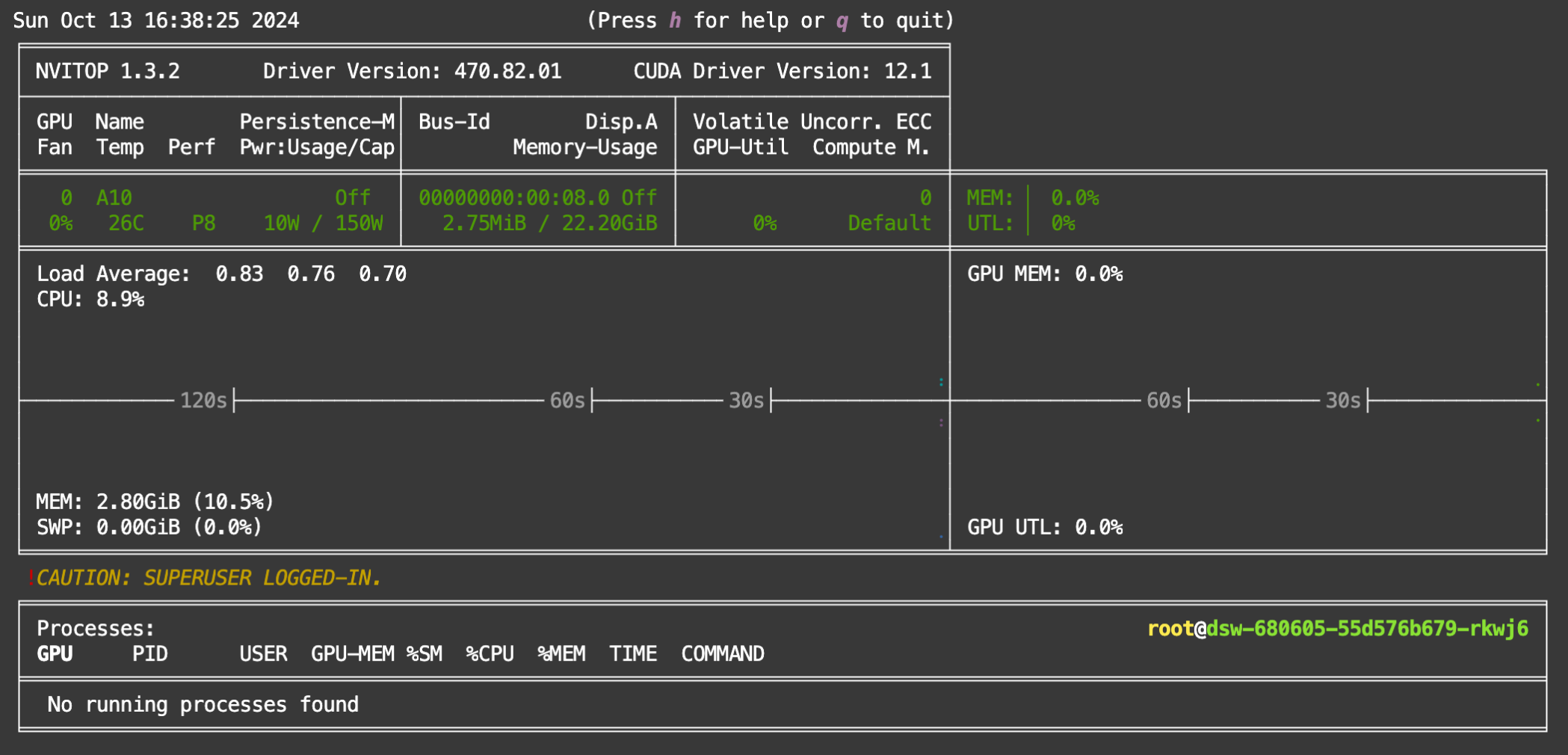
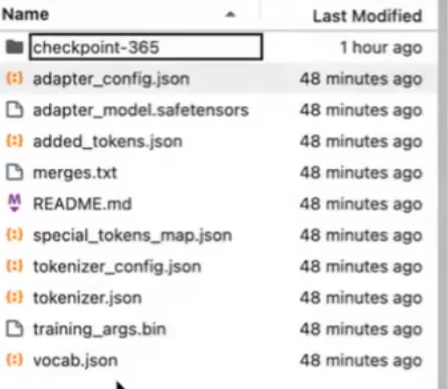
启动start.sh,启动后会连接huggingface进行模型与数据集的下载,如果中途不报错,会在输出目录得到以下结果:
本博客所有文章除特别声明外,均采用 CC BY-NC-SA 4.0 许可协议。转载请注明来源 廾匸!